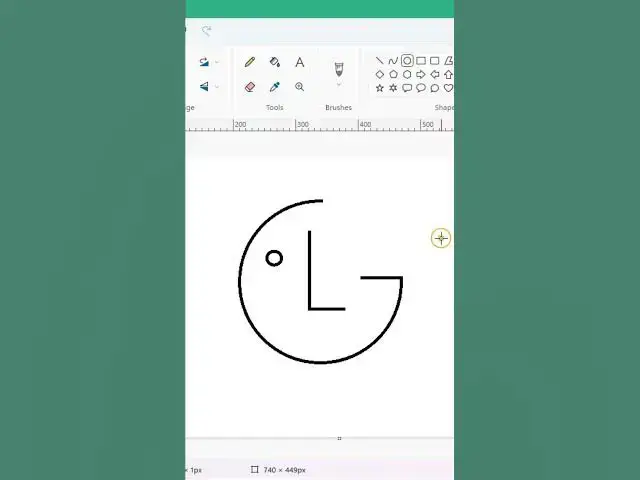

creating @LGIndia @logo in @Microsoft @Paint #shorts #logo #lgindia #microsoft #paint #logodesign
Apr 30, 2023

Creating a logo in Paint can be a bit challenging due to its limited features. However, you can follow these steps to create an LG logo in Paint:
Open Paint: Open the Paint application on your computer.
Create a new file: Click on "File" in the top-left corner of the screen, then click on "New" to create a new file.
Set the canvas size: In the "New" dialog box, set the canvas size to 400 pixels by 400 pixels, or any size that you prefer.
Draw the "L": Select the Line tool and draw a vertical line on the left side of the canvas.
Draw the "G": Select the Rounded Rectangle tool and draw a rectangle in the center of the canvas. Then, select the Line tool and draw a horizontal line across the middle of the rectangle.
Add the text: Select the Text tool and choose a font that is similar to the LG logo. Type the letters "LG" to the right of the rectangle.
Add color: Select the Fill tool and choose a color for the logo. You can use the LG brand colors of red and gray, or choose your own colors.
Save the logo: Click on "File" and then "Save" to save the LG logo in a file format of your choice, such as PNG or JPEG.
Note that creating a professional logo requires more advanced software with a wider range of tools and features. Paint is a good option for basic designs or for those who do not have access to other graphic design software.
--------------------------------------------------------------------------
Join this channel to get access to perks:
https://www.youtube.com/channel/UCb3YS6TPaRWJPXsi0Lut3yA/join
Instagram https://www.instagram.com/_onteque/
Facebook https://www.facebook.com/onteque
Blogger-1 https://onteque.blogspot.com/
Blogger-2 https://thebioticworld.blogspot.com/
Blogger-3 https://aatmjivani.blogspot.com/
-----------------------------------------------------------------------
#Shorts
#YouTubeShorts
#ShortsCommunity
#ShortsVideo
#ShortsCreators
#ShortsContent
#ShortsTrend
#ShortsChallenge
#ShortsTutorial
#ShortsMusic
#ShortsComedy
#ShortsDance
#ShortsArt
#ShortsFilm
#ShortsViral
#ShortsOnYouTube
#ShortsWatchParty
#ShortsCompilation
#ShortsHighlight
#PaintLogoDesign
#DIYLogoDesign
#SimpleLogoDesign
#LogoDesignTutorial
#PaintSoftware
#LogoDesignTips
#Branding101
#BeginnerGraphicDesign
#DesignInspiration
#DigitalDesign
Logo design
LG logo,
Paint application,
Creating a logo in Paint,
Drawing tools in Paint,
LG brand colors,
Text tool in Paint,
Fill tool in Paint,
File formats for logo,
Basic graphic design,
Design software,
Graphic design tools,
Creating a logo from scratch,
Paint tutorial,
Logo creation process,
Digital design,
Brand identity,
Logo style and aesthetics,
Visual communication,
DIY logo design,
Show More Show Less